





• Pricing
  • Transfer To Us
  • How It Works
  • Why Nexym
  • Help
Contact

Contact Us

Contact us with any questions regarding a new service. For technical or payment support, please login to your user portal.

    This site is protected by reCAPTCHA and the Google Privacy Policy and Terms of Service apply.

    Français
    Website

    Reset your WordPress admin password

    Contents

    1. Reset your WordPress admin password from your WordPress admin dashboard
    2. Reset your WordPress admin password from the WordPress Manager

    You can reset your WordPress admin password using two easy methods.

    Reset your WordPress admin password from your WordPress admin dashboard

    1. Open a new window on your web browser
    2. Go to your WordPress admin dashboard using https://yourdomain.com/wp-admin (replace yourdomain.com with your domain name)
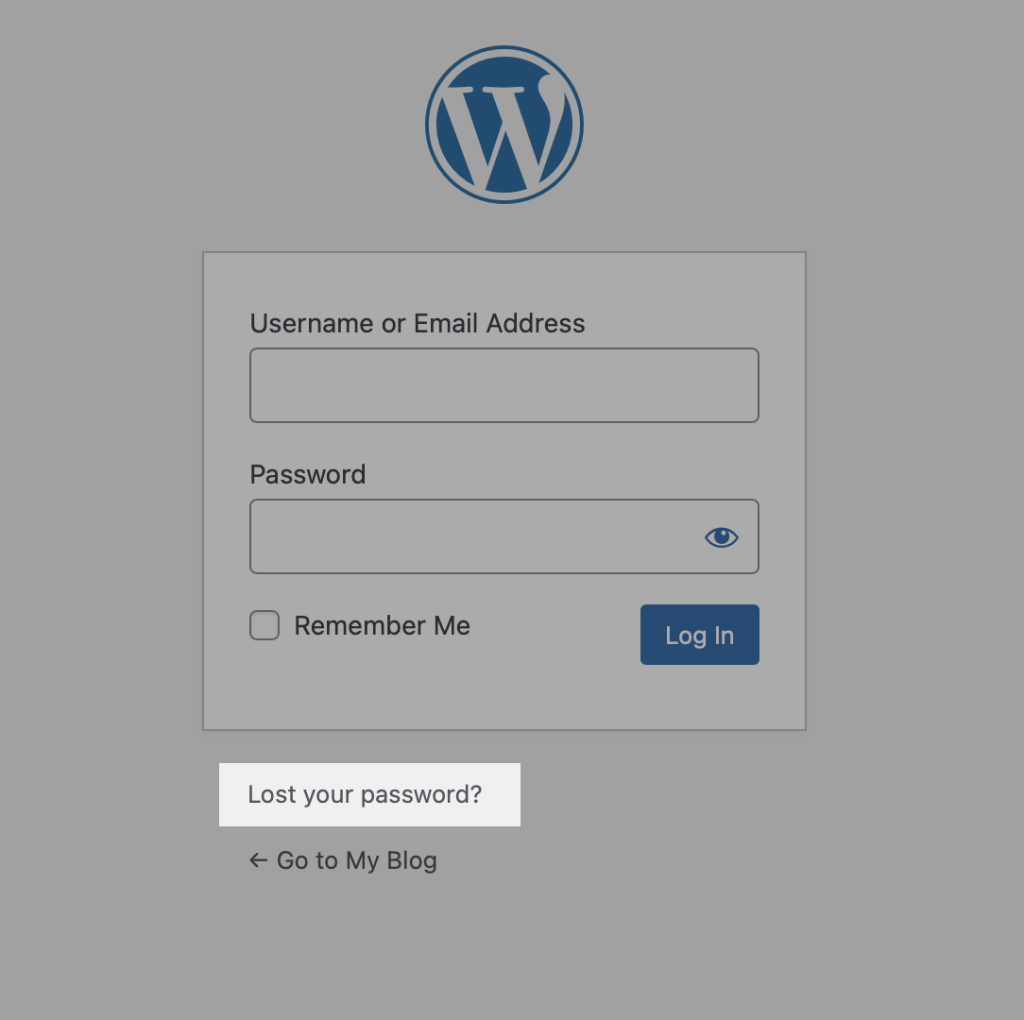
    3. Click on Lost your password?
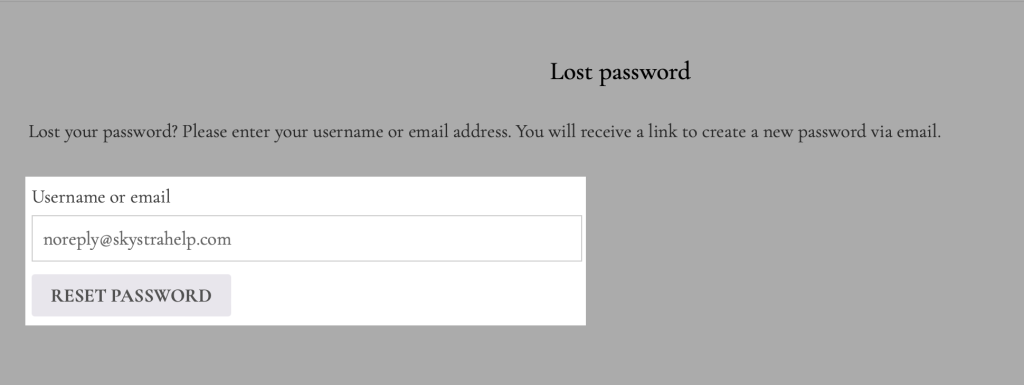
    4. Enter the email address associated to your WordPress admin user and click the Reset Password button
    5. Check your email and follow the prompts to reset your password

    Reset your WordPress admin password from the WordPress Manager

    1. Log in to your hosting control panel
    2. Click on the WordPress Manager button

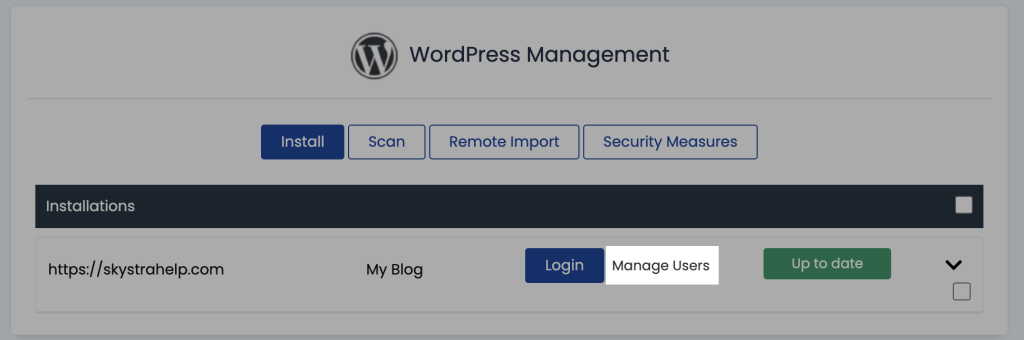
    3. Click Manage Users
    4. Select your user from the username dropdown
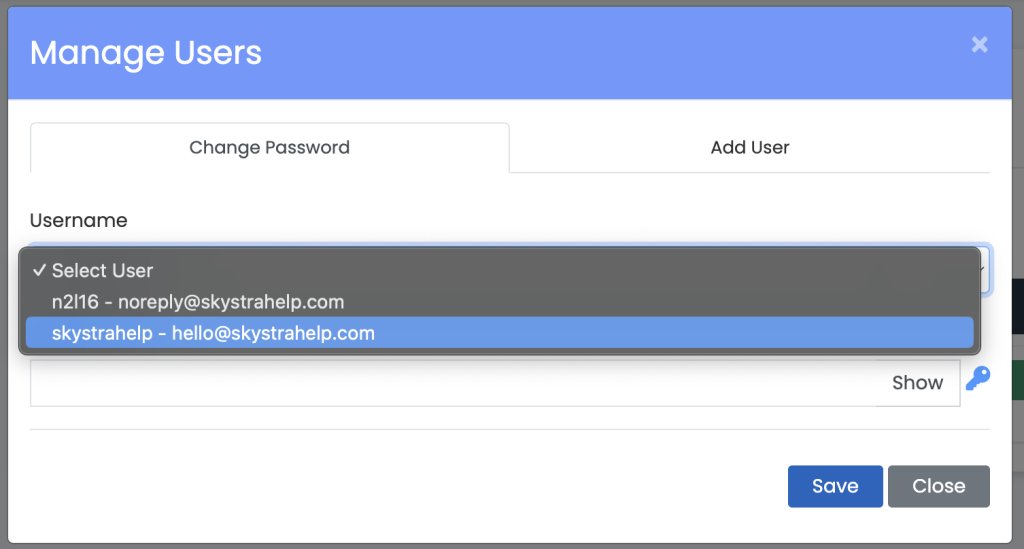
    5. Click the key icon 🔑 next to the password field to generate a secure password
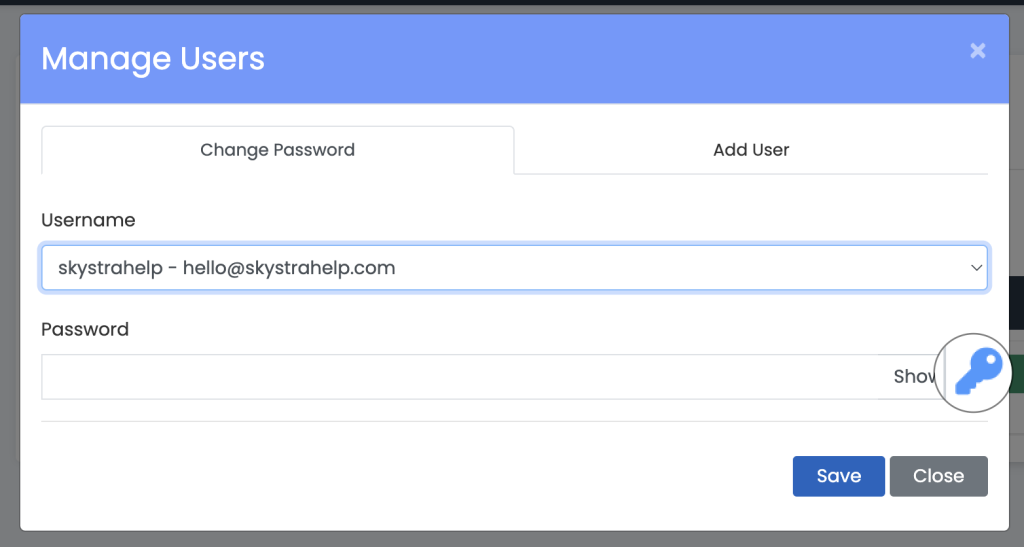
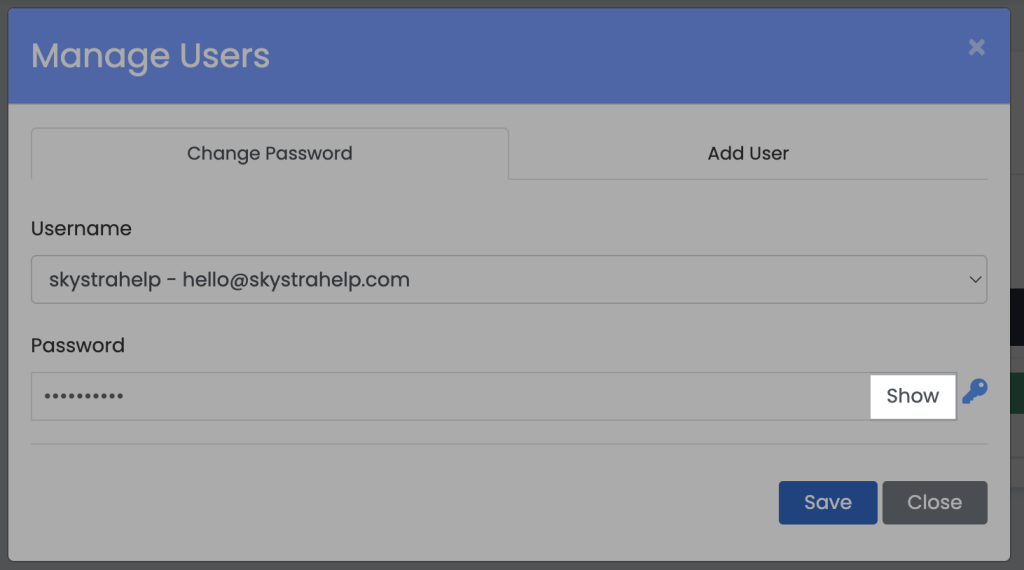
    6. Click on Show in the password field to reveal your password and then note it down somewhere secure
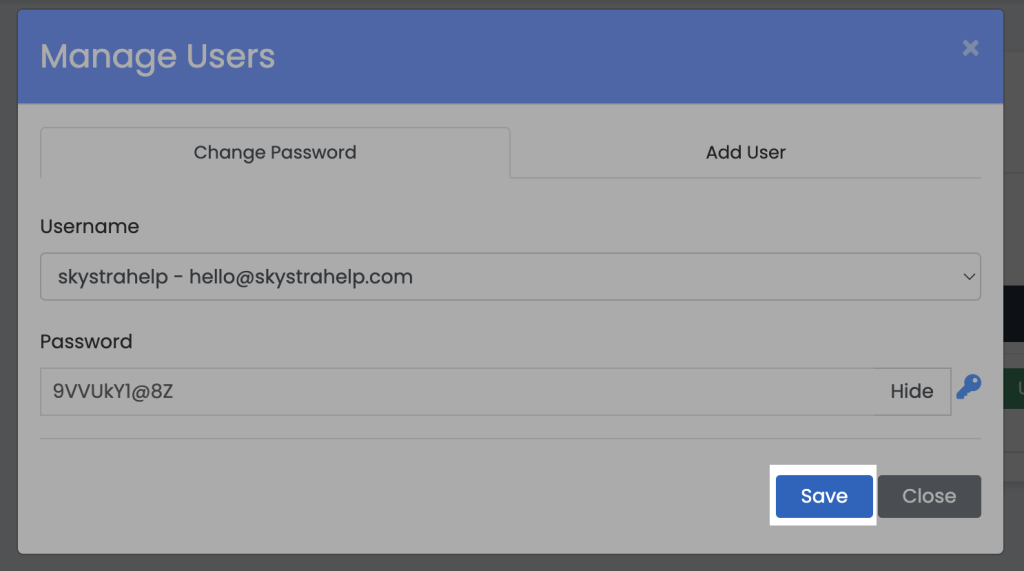
    7. Click the Save button
    8. You can now log in to your WordPress admin dashboard using https://yourdomain.com/wp-admin (replace yourdomain.com with your own domain name)

    Post navigation

    Previous
    Next

    Related posts

    Website

    Manage users on your WordPress website

    A WordPress user is an individual with access to log into a WordPress website. There are a range of user roles and permissions, we will cover them in this guide. WordPress user roles and permissions When you install WordPress, the user that is generated by default is an Administrator. As an administrator, you can manage […]

    Website

    Log in to your WordPress admin dashboard

    Your WordPress admin dashboard is where you build and manage your WordPress website. To access your WordPress admin dashboard, log in either from the WordPress admin login page or by using the Login button in the WordPress Manager on your hosting control panel. This guide will show you the steps for both login methods. Method: […]

    Nexym offers reliable and affordable web hosting, powered by really awesome people and next-gen cloud technology.

    Services
    • Website Hosting
    • WordPress Hosting
    • Ecommerce Hosting
    • Application Hosting
    • Joomla Hosting
    • Drupal Hosting
    • PHP Hosting
    • HTML Hosting
    Resources
    • Transfer
      FREE
    • How It Works
    • Help Center
    • User Portal
    Company
    • Who We Are
    • Why Nexym
    • Sustainability
    • Accessibility
    Social

    © Nexym 2025

    • Terms & Conditions
    • Privacy Policy